
Reserve a desk for yourself via QR Code
Serraview-Engage
The QR Scanner in the Concierge menu only displays if your System Administrator has this setup, see Set up the QR Codes for Desk Check-in and Reservation.
Follow the Steps
Either use your device's camera or use the Concierge menu's QR Scanner.
QR Scanner
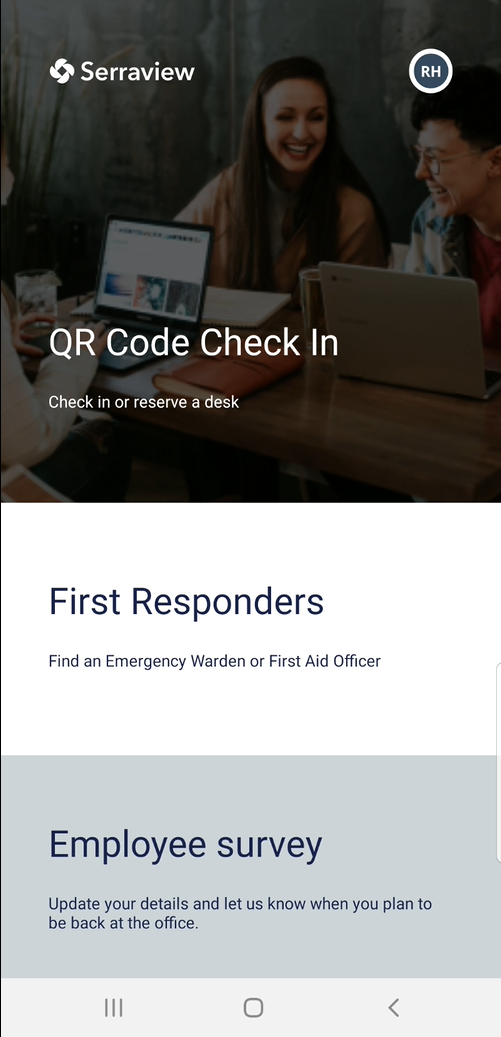
From the Concierge menu, scroll to the QR Scanner and tap this to activate the scanner.
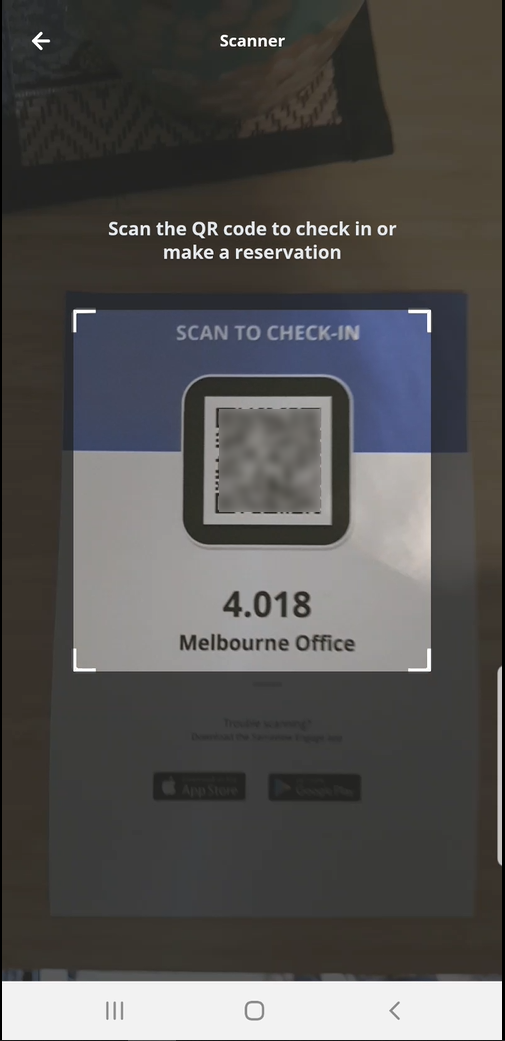
Hover the scanner over the QR Code to scan the code.
Next, the Serraview-Engage app opens automatically.
If the Serraview-Engage app is not installed then your browser will open Serraview-Engage Web.
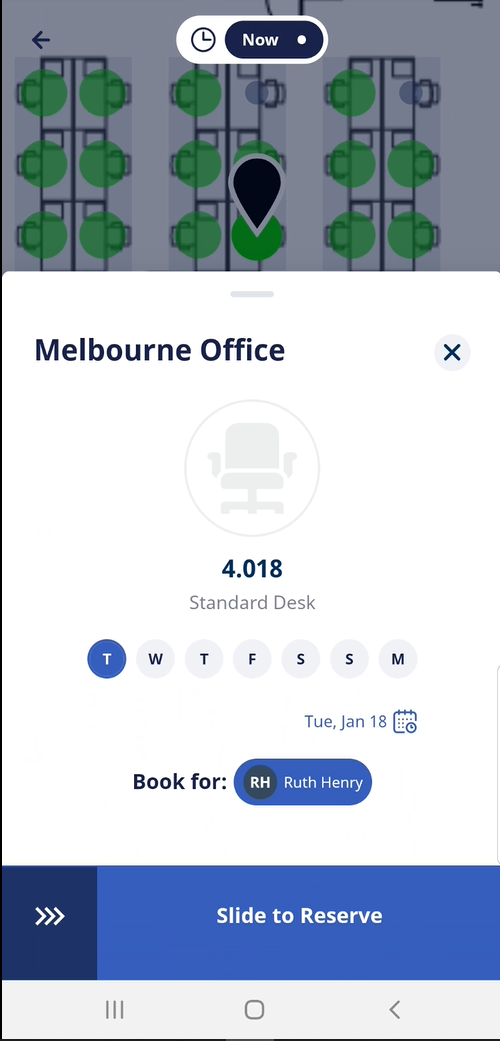
The desk that you scanned displays on the screen and you can quickly select the day(s) needed and reserve the desk.
Device's Camera
Tap your camera icon to activate the camera and then hover over the QR Code.
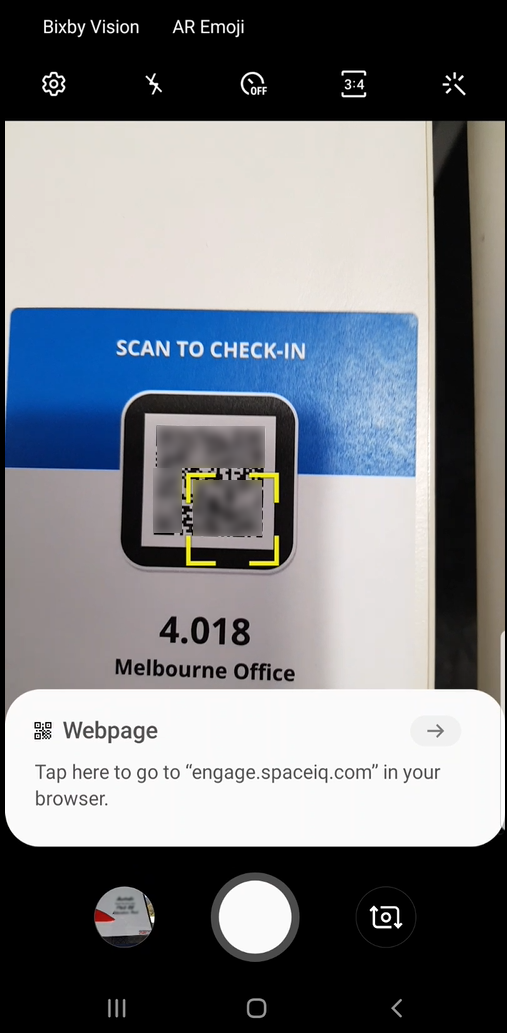
The QR Code will either activate a link and then you can tap on the link to open the Serraview-Engage app OR it will automatically open the Serraview-Engage app.
The desk that you scanned displays on the screen and you can quickly select the day(s) needed and reserve the desk.