Map equipment standard fields and attributes to Revit family type parameters
Archibus Smart Client Extension for Revit
How to map equipment standard fields and attributes to Revit family type parameters
Mapping equipment standard fields to Revit family type parameters ensures that design models carry accurate, structured data for scheduling, tagging, and downstream uses like COBie, IFC, and FM systems. This process aligns external equipment specifications with Revit’s parameter framework.
Procedure
- Use the existing afm_bim_params table.
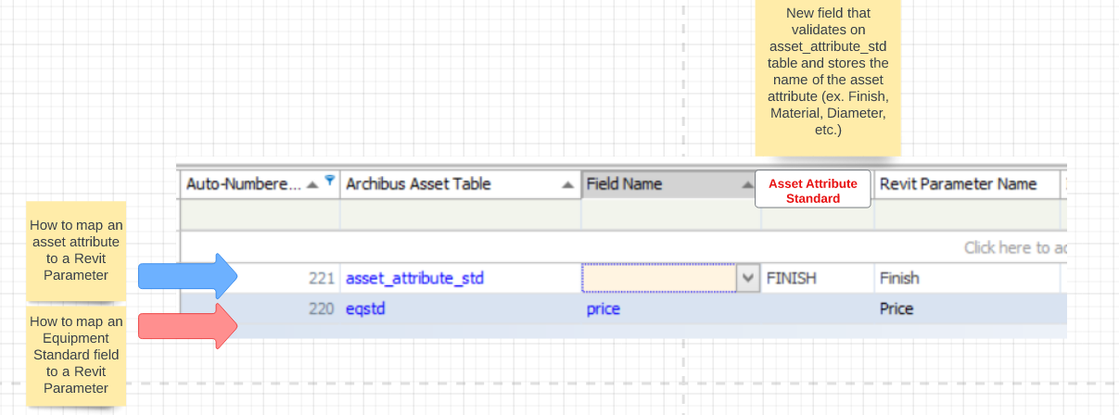
- Use the same pattern to map eqstd fields to Revit parameters as for eq table.
- For asset attributes, add a new field to this table:
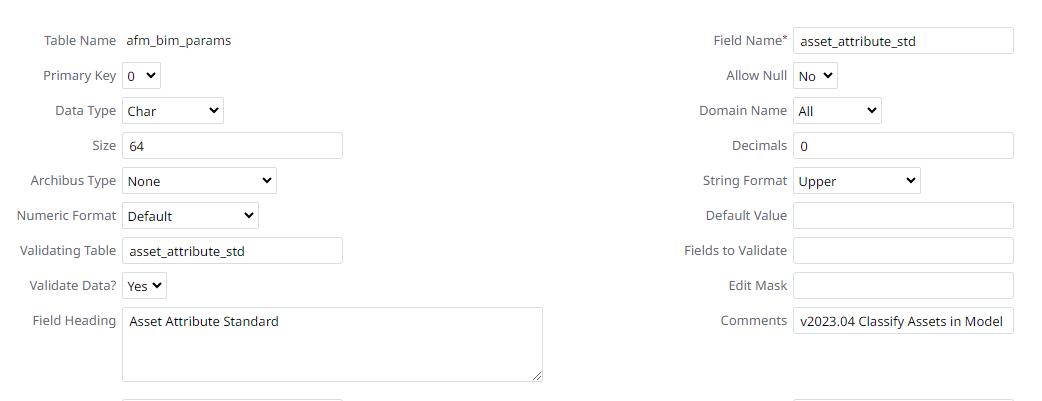
afm_bim_params.asset_attribute_stdthat validates onasset_attribute_stdtable.
Notes
- The new field will hold the primary key value of the asset attribute (ex. FINISH, DIAMETER, MATERIAL, APPARENT LOAD, etc.)
- The Revit Parameter name will go into the existing Revit Parameter Name field.