
Viewing Log Files
Smart Client
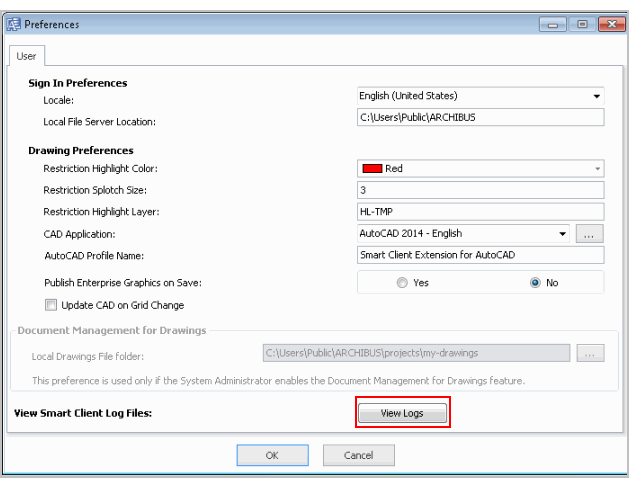
From the Preferences form, you can view log files. This is a per-user command, since it reviews the log file for the user's copy of the Smart Client running on the local workstation.
To view log files:
- Click Set / Up Preferences from the Smart Client's Ribbon menu to access the Preferences form.
- Click View Logs.
The View Log Files form appears.
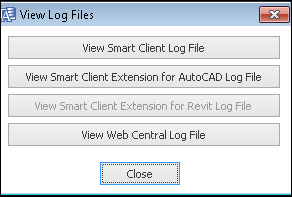
- You can select the following log files to view.
| Action Button | Log File Path/Description |
|---|---|
| View Smart Client Log File | c:\users\<username>\AppData\Roaming\Archibus\2x.x\SmartClient\xxx.log |
| View Smart Client Extension for AutoCAD Log File | c:\users\<username>\AppData\Roaming\Archibus\2x.x\AutoCAD\xxx.log |
| View Smart Client Extension for Revit Log File | c:\users\<username>\AppData\Roaming\Archibus\2x.x\Revit\xxx.log |
|
View Web Central Log File Note: This button is disabled if you have a Smart Client only install. |
c:\users\public\archibus\WEB-INF\config\archibus.log). |