Eptura Knowledge Center

Search for Mail items

Eptura Mail app

Search for the mail items and then proceed to check them in.

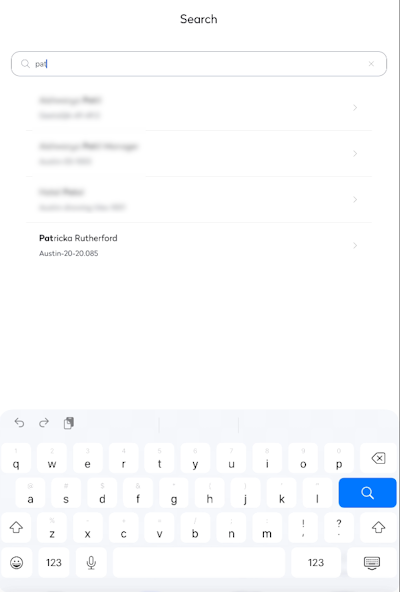
  1. From the Home screen, tap Search.
  2. In the Search field, enter either:
    •  Recipient's name or email
    • Tracking number
    • Pending
    • Inbound
    • Outbound

The search results display as you type.

clipboard_04110c76-fc58-491f-a0f2-c9633e5eaf40.png

  1. Tap the recipient's name.

clipboard_443d3747-f9f6-45cc-8683-bcff502545c4.png

  1. Now you can either Check in or Batch delivery, see Check in Mail Items.

clipboard_71740e3b-abaa-4377-9025-4fcb66217585.png