
Eptura Asset and Eptura platform services
 |
Eptura platform services If your organization is using Eptura's platform services, your locations and users are centrally managed from Eptura Home:
Learn more about Eptura Platform: https://eptura.com/our-platform/ |
| This page provides a detailed overview of the Eptura Asset features, fields, and values that are affected when Eptura platform services are enabled. It is primarily aimed at existing customers who are familiar with the traditional Eptura Asset, and it is a useful reference for new customers to understand how platform services influence behavior. | |
About Eptura platform services and Eptura Home
Eptura platform services allow Eptura products to be accessed and managed from a central Eptura home page. Launch Eptura Home to access all your Eptura products and the tools that manage the common components to all Eptura products. Learn more: Eptura Home: Sign in to Eptura ↗️
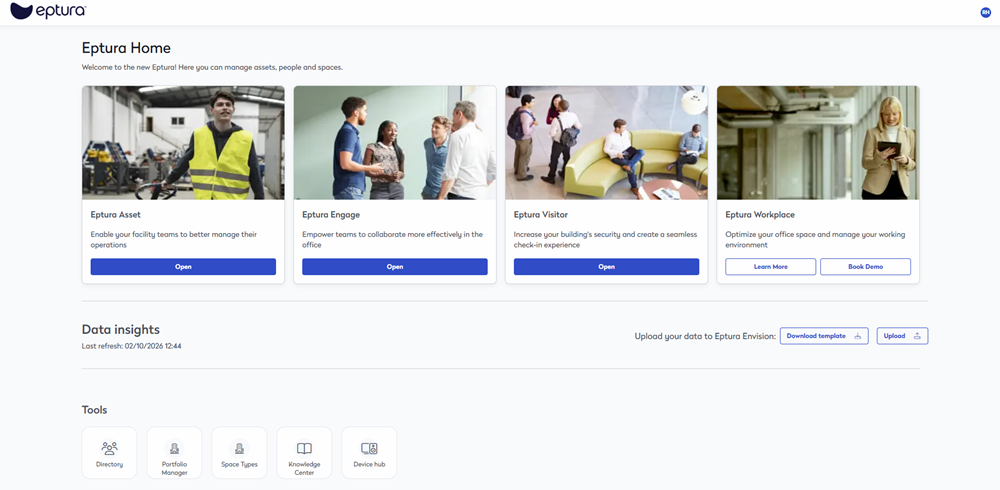
The Eptura Home tools that centrally manage the common components for Eptura Asset are:
- Directory: User and user group management.
- Portfolio Manager: Create and manage your locations, floors, and spaces.
Learn more about Eptura platform services and Eptura Home in the Eptura Home Knowledge Center ↗️
Contents
- About Eptura Asset and Eptura platform services
- Eptura Asset Regions and Sites and the Portfolio Manager
- Eptura Asset - Asset Module
- Eptura Asset - Warehouses & Preferences
- Eptura Asset - Inventory Module
- Eptura Asset - Autodesk Tandem Integration
- Eptura Asset and the Asset Floor Plan Viewer
- Eptura Asset Users and the Directory
About Eptura Asset and Eptura platform services
If your organization is using Eptura's platform services, your locations and users are centrally managed from Eptura's tools.
- Eptura Asset's Locations are managed from Eptura Home's Portfolio Manager tool, and the Portfolio Manager location hierarchy maps to Eptura Asset’s location hierarchy for Regions, Sites, Buildings, Floors, and Spaces.
- Eptura Asset's Users are managed from Eptura Home's Directory tool.
Eptura Asset Regions and Sites and the Portfolio Manager
Eptura Asset’s Default Site
By default, Eptura Asset contains a Site called COMPANY, this is only used for the initial setup of the tenant, and you won’t see this in the Portfolio Manager. Make sure you don’t use this to set up your sites.

Site - Operating Hours and Work Weeks
You can set the Eptura Asset work week from the site's Operating Hours.

This will populate the Eptura Asset's Work Weeks - Days In Operation settings.

Portfolio Manager’s Locations
Remember, the Portfolio Manager is the source-of-truth for all location data. When you create locations in the Portfolio Manager, it will take a few seconds to complete the synchronization.
The Eptura Asset's Regions and Sites information is pulled in from the Portfolio Manager hierarchy.
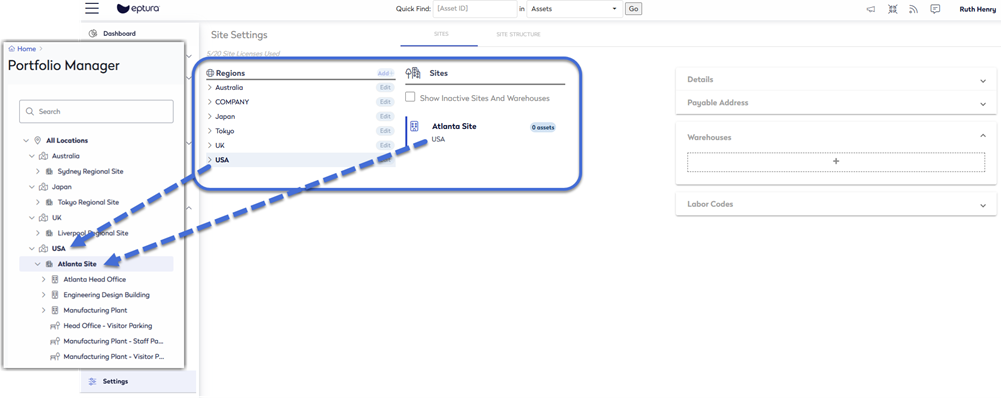
The table below compares the hierarchy of the Eptura Portfolio Manager and Eptura Asset:
|
Eptura Portfolio Manager |
Eptura Asset |
Description |
|---|---|---|
|
Region |
Region |
A 'region' is the hierarchy parent in the Portfolio Manager. These are synchronized from Portfolio Manager to Eptura Asset. Deleting a region or site in Portfolio Manager does NOT remove it from Eptura Asset. The location will remain in Eptura Asset with associated assets and work orders preserved. We recommend that you treat these locations as unused and don't assign new assets to them. |
|
Subregion |
Not used | Subregions belong to Regions and are not used by Eptura Asset. |
|
Site |
Site |
If a Site is created in Portfolio Manager without a parent region, Eptura Asset places it in a virtual region called "Sites with No Region”. We recommend that you avoid this and always assign a region. If a Site is deleted in Portfolio Manager, then it is renamed and marked as permanently inactive in Eptura Asset. |
|
Sub-sites |
Not used |
Portfolio Manager's sub-sites, such as tennis court or outdoor area within a campus, are not used in Eptura Asset. If you create sub-sites, these will not appear in Eptura Asset. |
|
Building |
Building |
These are synchronized from Portfolio Manager to Eptura Asset. Building Types This field lets you define the type of building, such as Warehouse, Office in the Portfolio Manager. This field is in Portfolio Manager but NOT transferred to Eptura Asset. A warehouse-type building in Portfolio Manager creates a regular building in Eptura Asset, with no warehouse designation. The warehouses for the Inventory Module are created in the Site Settings, see below for more information. |
|
Floor |
Floor |
These are synchronized from Portfolio Manager to Eptura Asset. |
|
Space |
Space |
These are synchronized from Portfolio Manager to Eptura Asset. When you create Spaces in the Portfolio Manager, these can be created automatically when you upload a floor plan using our plugins or when you add spaces manually. Learn more in Automated vs Manual Space Creation ↗️ |
|
Operating Hours |
Operating Hours |
These are synchronized from Portfolio Manager to Eptura Asset. |
|
Measurement System |
Measurement System |
These are synchronized from Portfolio Manager to Eptura Asset. |
Learn more
- Eptura Home: Portfolio Manager ↗️
Eptura Asset - Asset Module
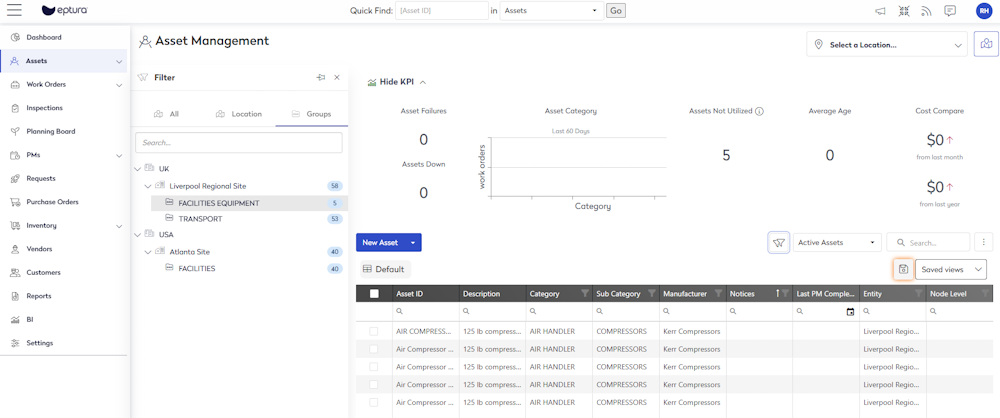
Filter by Group
The Portfolio Manager’s Site structure is used for Asset Groups to group by type, area, or any other customer classification.
Learn more
- Eptura Asset: Customize the Asset View ↗️
Create a new Asset
When you create a new asset, the Location drop-down is where you can select the Site.

Learn more
- Eptura Asset: Create an Asset ↗️
Edit the Asset Details
When you are working on an asset, you can edit the Site field and select the site (location).

Learn more
- Eptura Asset: Edit the Asset Details ↗️
Eptura Asset - Warehouses & Preferences
Eptura Asset is where Warehouses are created, and then you will see them listed in your Preferences.

Learn more
- Eptura Asset: Sites ↗️
- Eptura Asset: Preferences ↗️
Eptura Asset - Inventory Module
When your preferences are set, then you will see the warehouses and parts rooms in the Switch Warehouse panel.

Learn more
- Eptura Asset: Inventory ↗️
Eptura Asset - Autodesk Tandem Integration
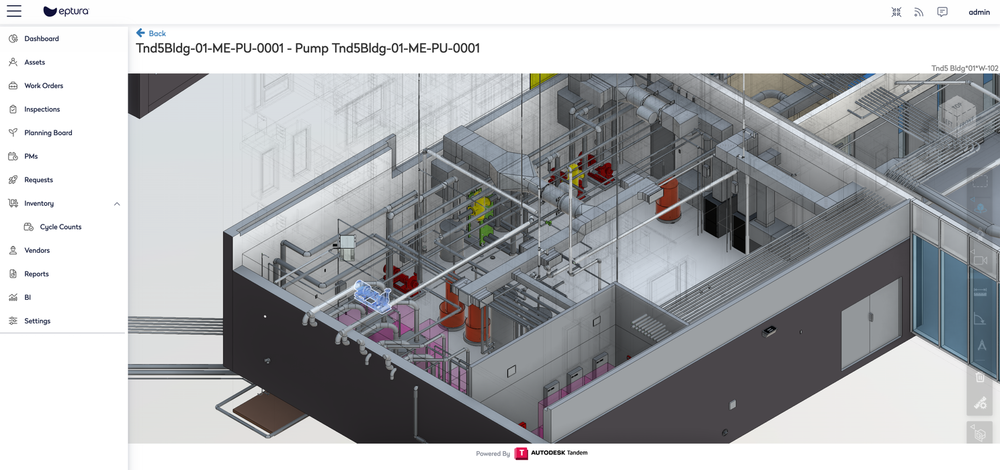
Autodesk Tandem is a digital twin solution, designed to deliver smarter buildings and operational excellence. By connecting data from the building’s lifecycle within the digital replica. This streamlines facility operations and extend asset lifespans with full digital handoff and access to critical asset data.
Autodesk Tandem and Eptura Asset integration provides a seamless digital handoff from design and construction to operations, bringing together essential asset data in a digital twin.
Learn more
- Eptura Asset: Autodesk Tandem Integration ↗️
Eptura Asset - Asset Floor Plan Viewer
The Asset Floor Plan Viewer lets you see where your assets are located on a floor plan. The Asset module has a location selector where you can select a location and the floor plan icon will take you to the viewer.

Learn more
- Eptura Asset: Asset Floor Plan Viewer ↗️
Eptura Asset Users and the Eptura Directory
When Eptura platform services are enabled, users are created and managed in the Eptura Directory tool.

Learn more
- Eptura Home: Directory ↗️
The granular permissions are managed from Eptura Asset and the access to Sites is set in the Security Roles and Labor Codes.

Learn more
- Eptura Asset: Employees & Users ↗️
- Eptura Asset: Understand Employee Types ↗️
- Eptura Asset: Security Roles ↗️