
2022 August 17 ManagerPlus Product Release
Inventory Transfers Now Available In Lightning
|
ManagerPlus Lightning |
August 17, 2022
Enhancements
 Assets
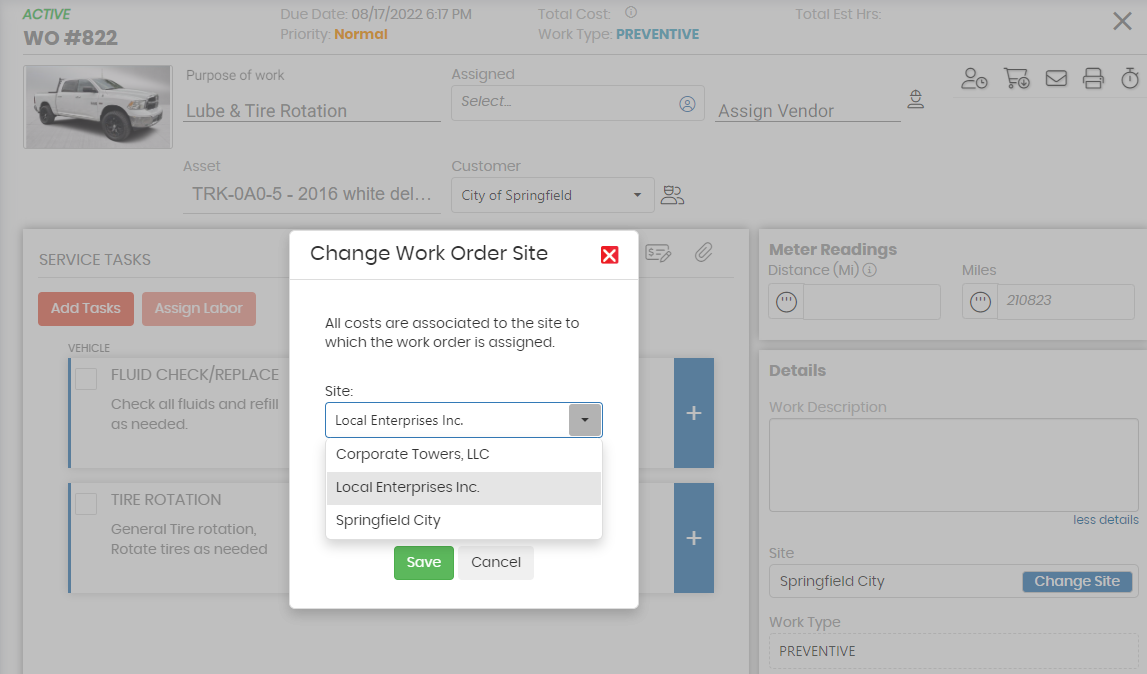
- It is now easier than ever to reassign an active work order, to one of your other sites
- Simply click the Change Site button on the work order
- Name the site it should be reassigned to, and which budget will cover any expenses
- Only restriction is if parts have been already allocated from one site, it cannot be moved to another
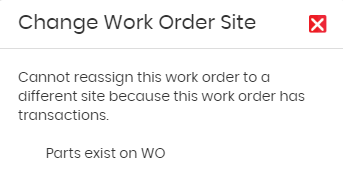
- Only restriction is if parts have been already allocated from one site, it cannot be moved to another
- Each icon has been updated & modernized
- While these icons have a new/updated appearance, every icon will still be found in the same location as before
- Navigation throughout the program has not changed
 Work Orders
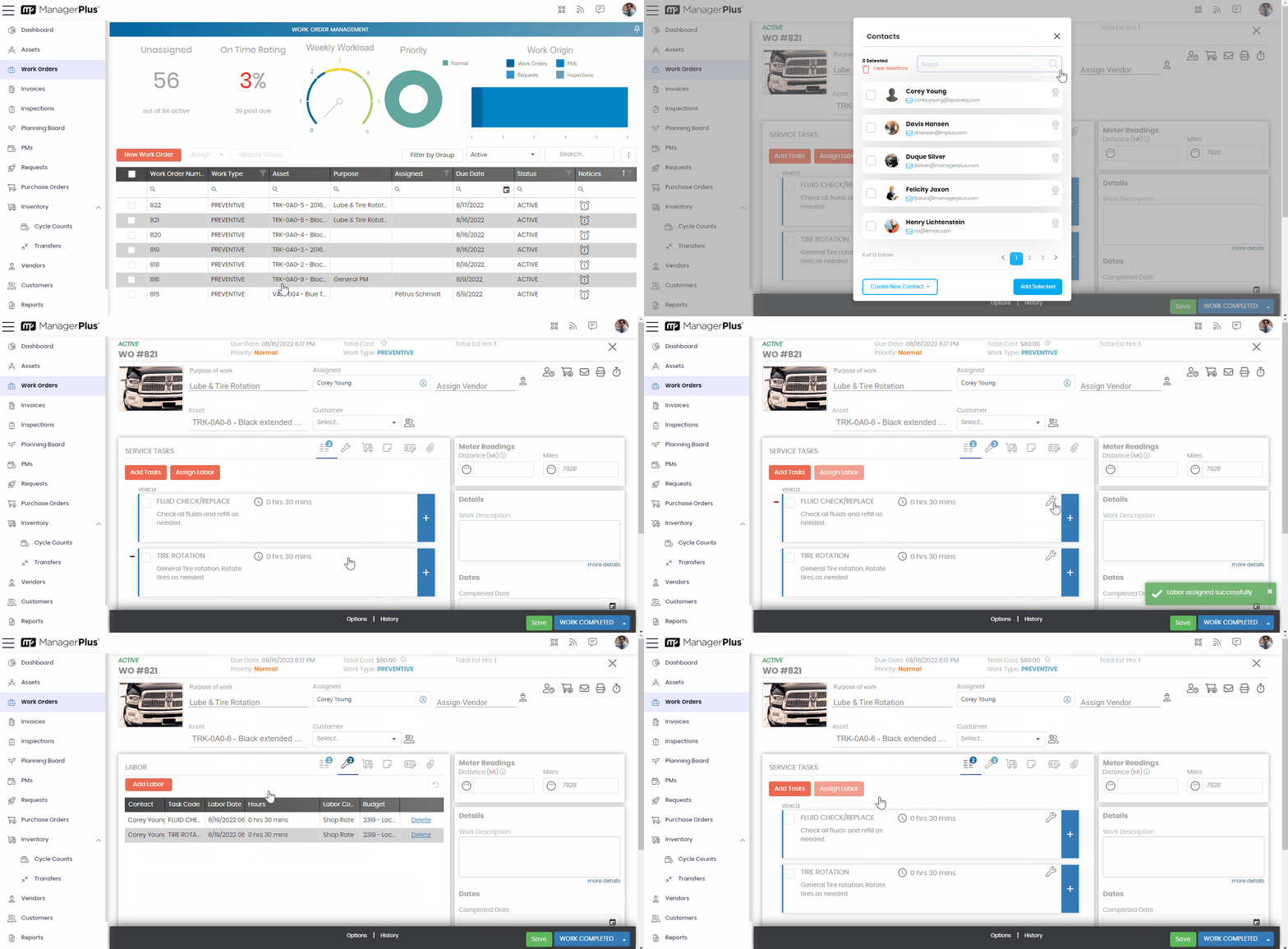
- New Assign Labor button lets you add labor costs to Work Orders faster and more efficiently
- Select the Assign Labor button
- The work order will automatically list the Primary Assigned Contact as having performed all the tasks in the time estimated
 Inventory Transfers
- Inventory Transfers between warehouses is now available in Lightning
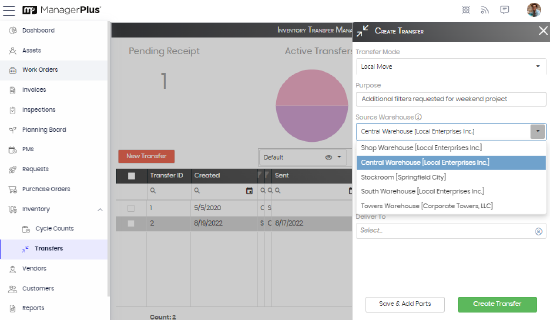
- Two types of transfers are available:
- Local Move (a single authorized user can create and instantly complete the transfer of parts between warehouses)
- Remote Transfer (one warehouse transfers the parts, the other warehouse must receive the parts before they appear in the new warehouse inventory)
- Two types of transfers are available:
 Requests
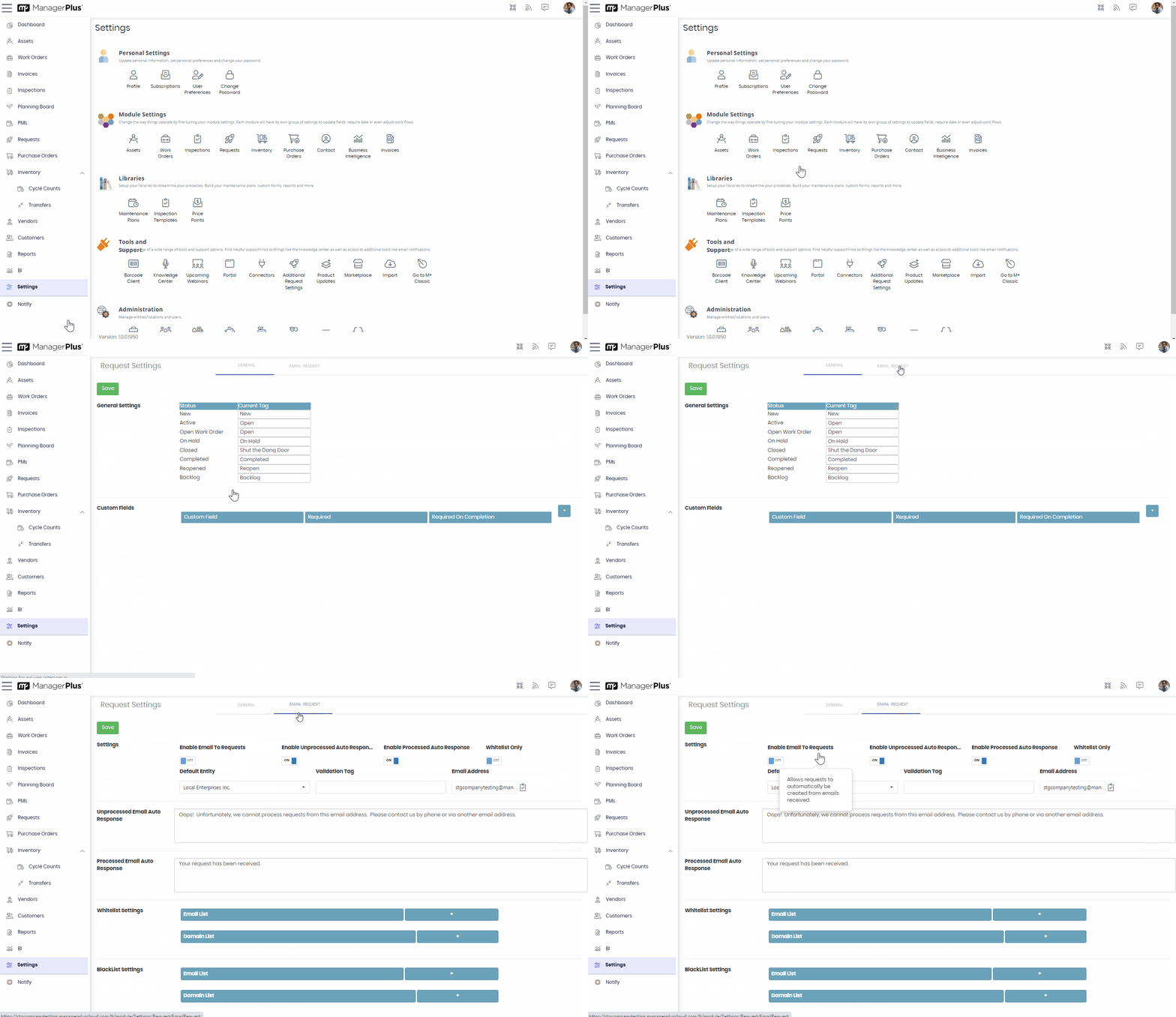
- Email to Request settings is now located in Settings > Module Settings > Requests > Email Request
Fixes
- Invalid email addresses can no longer be saved on Customers and Vendors records
- Corrected issue allowing inactivated Sites to still appear in the Security Users table
- Fixed appearance of inventory bin listings in Bin Management
- Resolved issue with Inspection QR codes not forwarding properly into the Operator Companion
- Work Orders generated from a failed Inspection of a specific Asset are once again locked down, preventing the listed Asset from being changed on that WO
|
M+ Work Companion |
Enhancements
-
Nothing New
Fixes
-
Nothing New
|
Operator Companion |
Enhancements
-
Nothing New
Fixes
-
Nothing New
|
ManagerPlus Classic Cloud |
Enhancements
-
Nothing New
Fixes
-
Nothing New
|
ManagerPlus Mobile for Cloud |
Enhancements
-
Nothing New
Fixes
-
Nothing New
|
API and Connectors |
Enhancements
-
Nothing New
-
Fixes
-
Nothing New