
2026 May Eptura Asset Product Release
May's release includes:
- May 28th, 2026 Release
- May 7th, 2026 Release
May 28th, 2026 Release
Enhancements
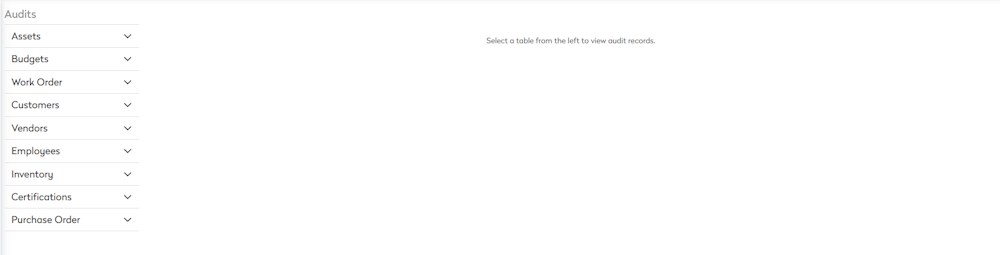
- Audits Module - Introduces a dedicated Asset Audit module with advanced filtering and export options. Users can now search audit records across multiple tables, apply filters, and export results for compliance and troubleshooting. Lean more in Audit.
- Email Domain Support – Added support for the .energy email domain extension, resolving "invalid email" errors during user creation.
General Maintenance
- Work Order Labor Summary
- The "yesterday" date range now returning data.
- The "Labor Date" field now returns the correct results.
- Currency Symbol – Fixed an issue where the US Dollar sign ($) incorrectly appears during cost edits for companies configured with non-USD currency symbols.
May 7th, 2026 Release
Enhancements
Work Order Copy — Labor Date Defaults to Today
When copying a work order with labor records, the labor date and time now default to the current date and time instead of carrying over the original work order's labor dates. This prevents outdated labor dates from being imported into new work orders and handles daylight savings correctly.
Samsara Connector — GPS Odometer Fallback
Enhanced the Samsara integration to fall back to GPS-based odometer readings when the ECU odometer is unavailable. This prevents incorrect zero-value odometer logs from being synced and ensures more accurate mileage tracking for vehicles without ECU reporting.
New BI Reports added to Report Library
Added a "Custom Printable Forms" folder under ManagerPlus folder with ready-to-use printable reports. Learn more in Custom Printable Forms.
- Inspection Form
- Invoice Form
- Purchase Order Form Order Form with Custom Fields
- Work Order Form – Assigned Vendor
- Work Order Form – with Cost & Logs
Additional reports, listed below, were added to their respective existing folders, giving all customers easy access to commonly requested report templates. Learn more in Inspections (Lightning) Reports.
- Assets Without Schedules
- Daily Inspection Failure
- Inspection Defects
- Inspection Form – Fillable

Employee Labor Rate API Endpoint
Added a new API endpoint to retrieve employee labor rates, including contact name, labor codes, rate, override status, and override rate. This enables integrations to access up-to-date labor rates without manual synchronization.
Work Order Parts — Update and Delete Support
Added PATCH and DELETE API endpoints for work order parts, allowing users to update part quantities, unit costs, line item notes, and warehouse assignments, as well as fully remove part lines from a work order via the API.
Work Order Status Update API Endpoint
Added a new API endpoint for updating work order statuses, enabling external systems (e.g., ERP integrations) to transition work orders to completion or other statuses. The endpoint returns detailed error responses for validation failures. A new "Processed" property was also added to the GET Work Orders response.
Additional Keys in Work Order GET Response
The GET Work Order API response now includes entityKey, assetKey, budgetKey, and worktypeKey fields, providing integrations with stable unique identifiers needed for cross-referencing work order data with other modules.
General Maintenance
- Work Order Module - Corrected the date column filtering in the Work Order grid where selecting a single date returned results offset by the user's timezone (e.g., results starting from ~6 PM the prior day). All date columns — Created, Due, Completed, and Scheduled — now correctly filter based on the selected calendar date.
- Inventory Module - Resolved extremely long load times (12–15 minutes) for the Parts Master screen on large customer databases with 50,000+ parts. The new V2 Inventory module now loads near-instantly for all customers.
- Asset Import - Fixed an issue where asset imports with dates containing double-byte month names (October, November, December) were incorrectly flagged as "Value is not a valid date" when the user's language preference was set to English (Canada).
- Work Order, Asset, Inventory, and PM Modules
- Fixed an issue where the "(Blanks)" filter option was missing from column filters in Work Order, Asset, Inventory, and PM grids. The option now appears for all columns where the field value is not mandatory.
- Fixed the "Select All" checkbox in grid column filters across Assets, Work Orders, PMs, and Inventory modules. Previously, deselecting individual values did not properly uncheck "Select All," causing the grid to still display all records instead of the filtered subset.
- Preventive Maintenance Schedules
- Fixed the asset calendar incorrectly displaying monthly Preventive Maintenance schedules set to a specific day-of-week (e.g., 1st Friday, 3rd Friday). Future months were grouping all PMs onto the first occurrence instead of their correct week positions.
- Fixed Preventive Maintenance schedules pulling the "next date" from the previously completed Work Order in UTC time instead of the user's local timezone. This caused PM dates to shift by +1 day for users in timezones west of UTC when work orders were completed late in the day.