
Change Downtime Labels
Level: Administrator
Your Administrator can change the default label names called ACTIVE and DOWN. These labels display in the Asset's Downtime panel.
- Navigate to Settings > Module Settings > Assets and the Asset Setting screen displays.

- Click the current tag, either Active or Down.
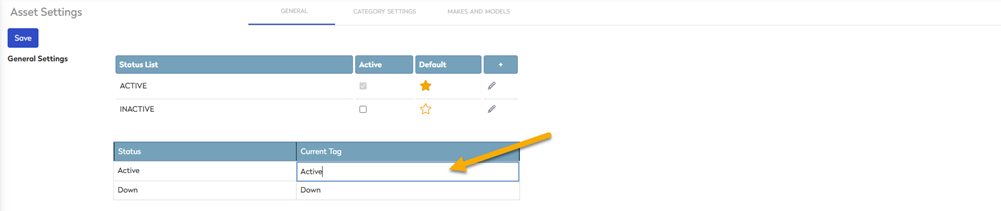
- Enter the new tag name and the setting will automatically save.
When this is saved you will see this in the Asset's Downtime panel, learn more in Change an Asset to be Offline or Online.
