
Update your Site and preferred Warehouse
Within your profile, is where you can enable or disable the Entity/Site selection and your preferred Warehouse.
This is useful as your company may have several sites and you work at one site. In your preferences you can enable Site A and then disable the other sites. If you moved to Site B, then it is easy to disable Site A and then enable Site B.
Access your Preferences
- From the top left corner of the screen, click your Profile Name or Image > Preferences.
Your profile screen displays the Preferences tab.
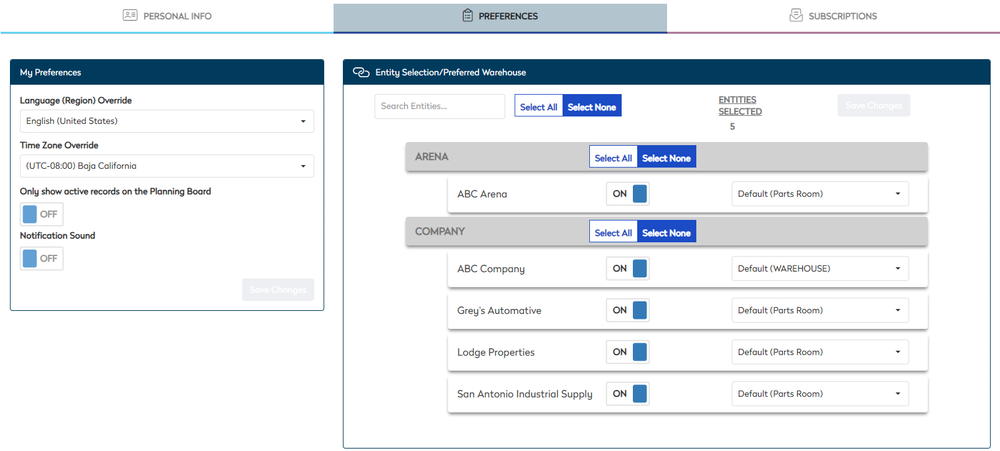
This is where you need to add the entites/sites you need access to.
Your sites are set up by your Administrator.
Enable Sites and Warehouse
- Review the list of entites/sites and click the toggle ON to enable access.
- For the entites/sites, from the Default drop-down, select the warehouse/ parts room.
The settings are saved automatically.