
Work Order Status
Eptura Asset app
Overview
|
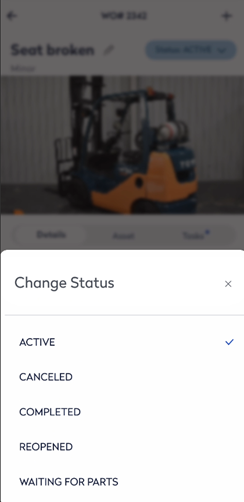
The work order's current status displays; tap this to see what statuses you can change the work order to such as Active, Canceled, Completed, Reopened, or Waiting for Parts. Work Order Settings Your Administrator can set up the work order workflow, and this can alter your experience. Learn more in Set up Workflow for Work Orders. |
  |
Complete a Work Order
|
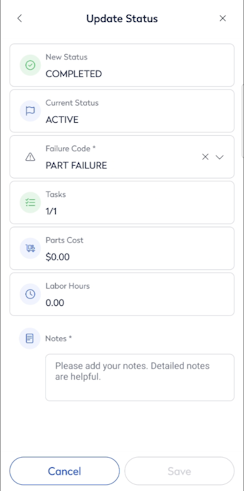
In this example, the work is done and status is changed to COMPLETED.
|
 |
|
If your Administrator has set the 'User Confirmation - Asks & requires employee credentials' in the workflow, then you will see the Confirm your identity.
|
 |
|
 |