
Booking allowances and Workweek assignments
Booking allowances
If your organization has applied monthly or weekly booking allowances, you can choose which dates you want to work in the office. However, you are restricted to a maximum number of days you can book as defined in the resource group and/or your user profile.
When booking allowances are enabled, your remaining allowance is displayed when you make a booking.
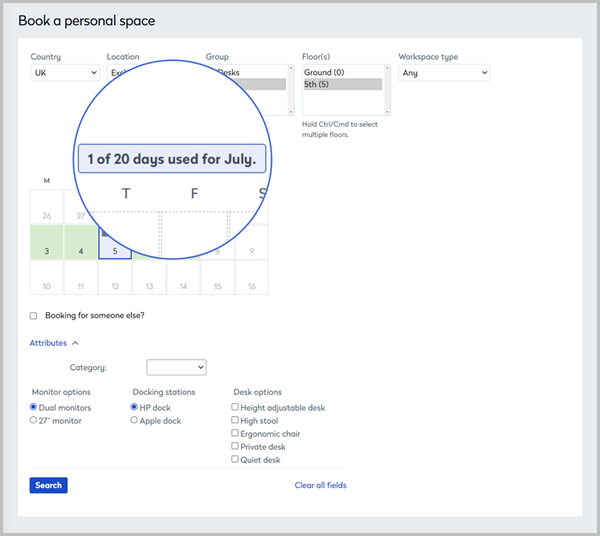
Booking allowances are defined by the maximum number of slots configured in the resource group settings. Administrators can override the group setting for individual users from their user profile.
Learn more:
- Employees and occupancy - Booking allowances
- User management - Edit a user profile
Workweek assignment
If your organization has assigned you to a Workweek, you can only choose to be in the office and book a workspace on the days of the week defined by the assigned Workweek. You are set to work remotely on the remaining days.
Learn more: Workweek assignment and your in-office schedule