
Personal spaces home page
All your personal space bookings for today and in the future are listed on the Personal spaces home page on the web app, as well as any bookings you have made for others.
Manage bookings from the Personal Spaces home page
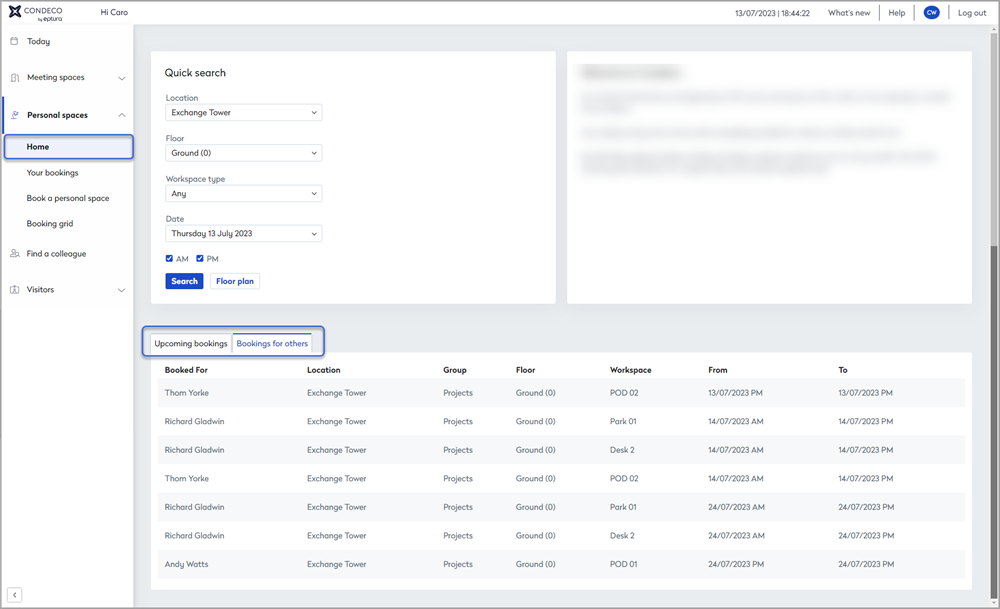
View upcoming bookings, and bookings you made for others on the Personal Spaces home page
Your 'all-day' personal space bookings for the next 5 days are listed on the Personal spaces home page. Any bookings you have made for others are listed on the Bookings for others tab.
If you have a fixed or flexi personal space allocated, the allocated space is listed under the additional Fixed personal spaces tab. Learn more: Booking types for personal spaces

Click a booking in the list to open the booking details popup window and edit the booking. From here, you can:
- Move a booking to a different date
- Move a booking to someone else
- Delete a booking
- Temporarily release your fixed or flexi allocated space
Go to Your bookings to view all your future bookings. Learn more: Your bookings