
Register RFID card with PIN
Eptura Room Screen v3 - User Guide
Before you start
If you do not have a PIN you must generate one before you can activate the PIN on your RFID card.
How to register an RFID card with your PIN
Watch the video
Audio: Sound Length: 1:07 minutes
Step by step
To register an RFID card with your PIN, you must create a booking on a room screen to register the card. The booking can be deleted after the process is complete.
- Select an available time slot on the meeting room screen to start a booking.
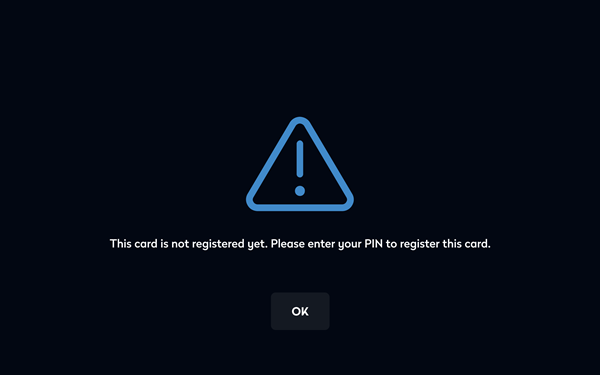
- Swipe your card at the center of the screen. A message advising the card is not registered yet is displayed. Tap OK.
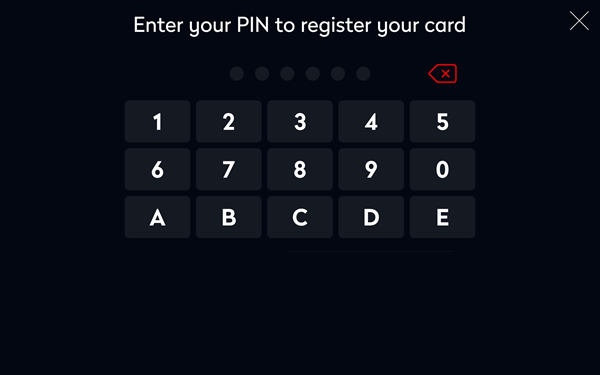
- Enter your PIN.
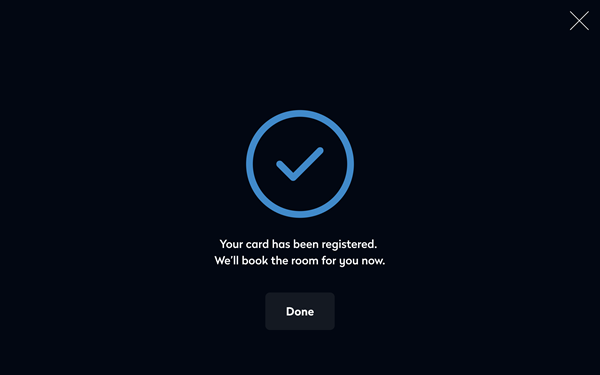
- If the PIN is valid, your card is now registered and the following confirmation is shown.
- If not required, delete the meeting room booking made during this process.