
Preferred location, group, and language
You can set different preferred locations and groups for the Eptura Engage web app, the mobile app, and the Outlook add-in. The preferred location and group selected in the web app are automatically set for the mobile app and the Outlook add-in when first launched, but these can subsequently be changed in those apps if required. When set, changes to these settings in individual apps do not update the settings in other apps.
You can set a preferred language for the web app, the mobile app, and the Outlook add-in to apply the language set on the device (if supported).
Set your preferred location, resource group, and language for the Eptura Engage web app
To open your profile, click your initials at the top right corner of the web app, and click My profile from the menu.

Select the Location & language tab to set your preferences.
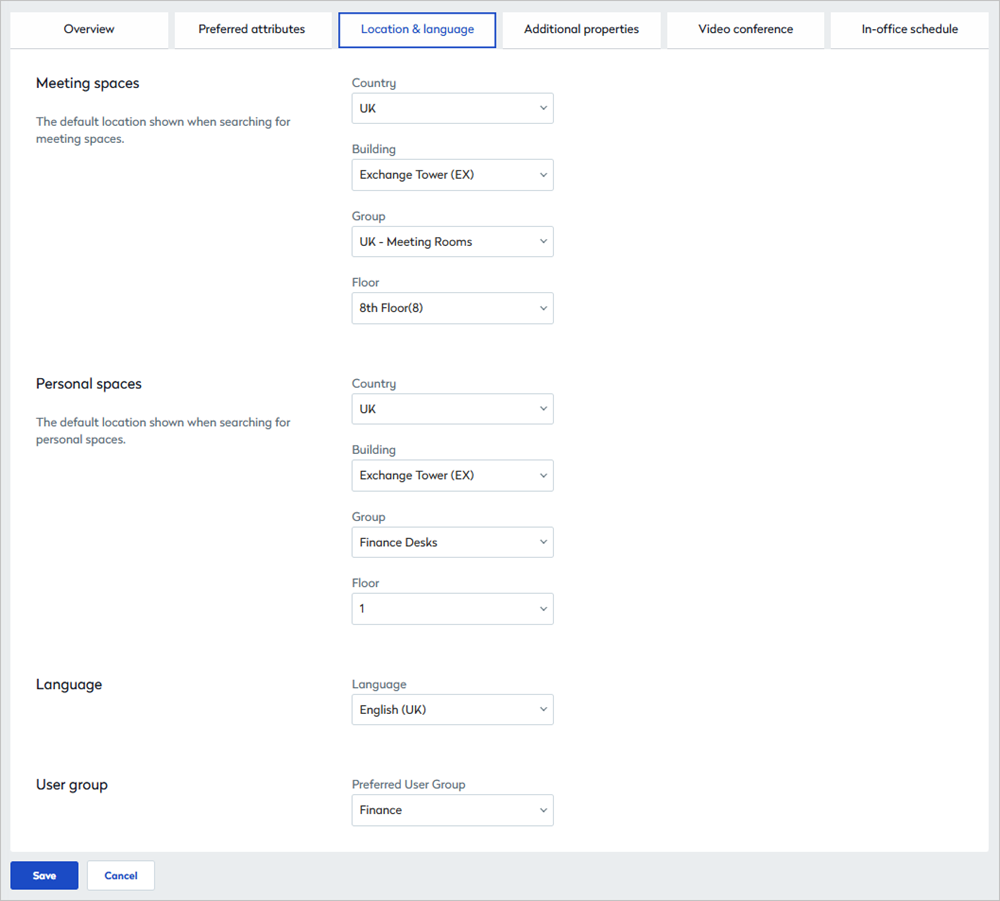
Location and language settings on your user profile.
Preferred location and resource groups
- You can set different preferences for your meeting spaces and your personal spaces.
- The selected locations and groups are the default selections when making a booking using the web app.
- You can only select locations and groups that you have access to.
Click Save when done.
Preferred language
Select the language to display in the web app and click Save when done.
You can set a preferred language for Eptura Engage web app, however, the mobile app and Outlook add-in apply the language set on the device (if supported).
Preferred user group
If you are a member of multiple user groups, select your preferred user group from the list. This group is prioritized when access exceptions and preferential access are set for a resource group, and is used by AI Booking to help determine which spaces to prioritize.
The preferred user group is not shown if you are not a member of a user group, or your user group does not have prioritized resource groups.