Log in to Eptura Visitor
New users
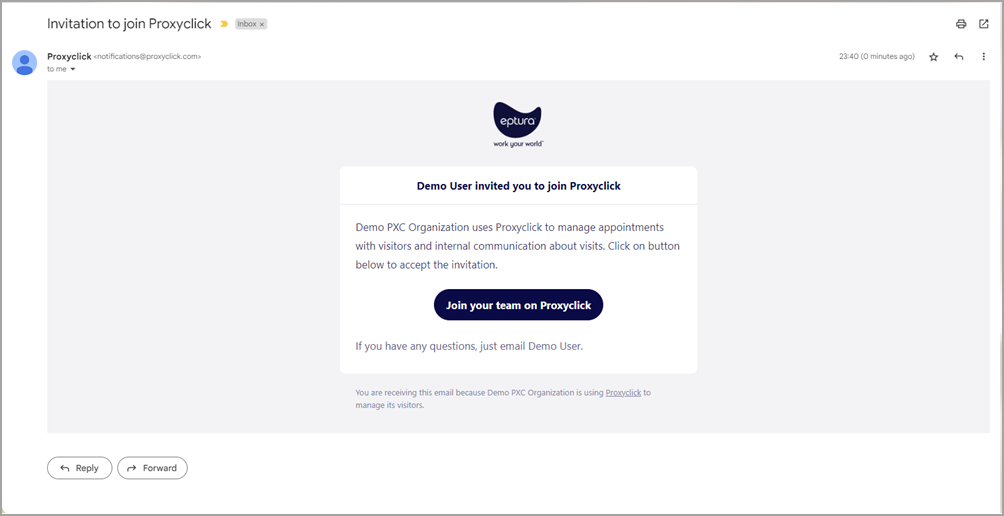
Before using Eptura Visitor (formerly Proxyclick), you must set up and activate your account before you can sign in. When your administrator has enabled your access, an invitation to join Proxyclick* is sent to the email address registered to your Visitor account.
*Proxyclick was the former name for Eptura Visitor.
- Open the email and click Join your team on Proxyclick.
- Enter a password and click Create Account.
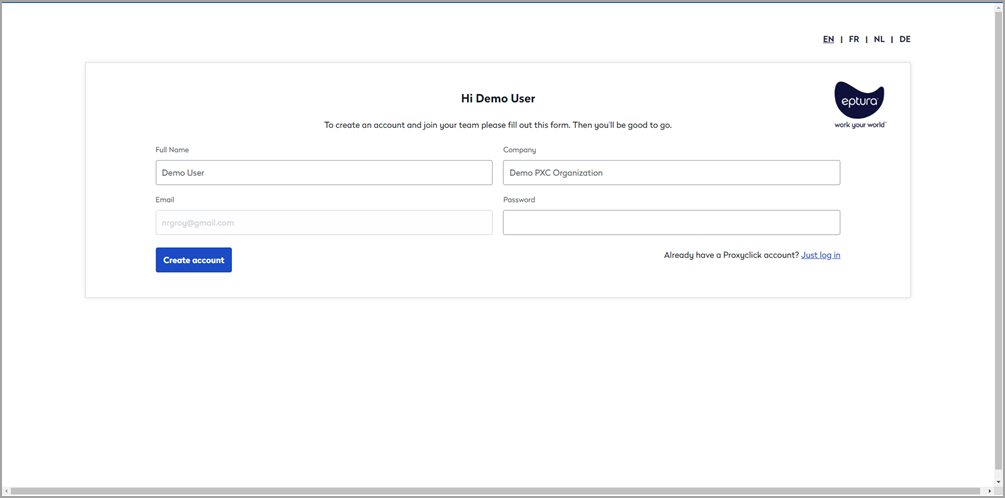
Your Eptura Visitor account is activated and Eptura Visitor is launched in your web browser.
Did not receive your invitation email? Check your spam folder before contacting your administrator.
Forgotten password
If you have forgotten your password, follow the steps to reset it via email.
- Navigate to app.proxyclick.com and click Forgot your password? Confirm your email address and click Reset password.

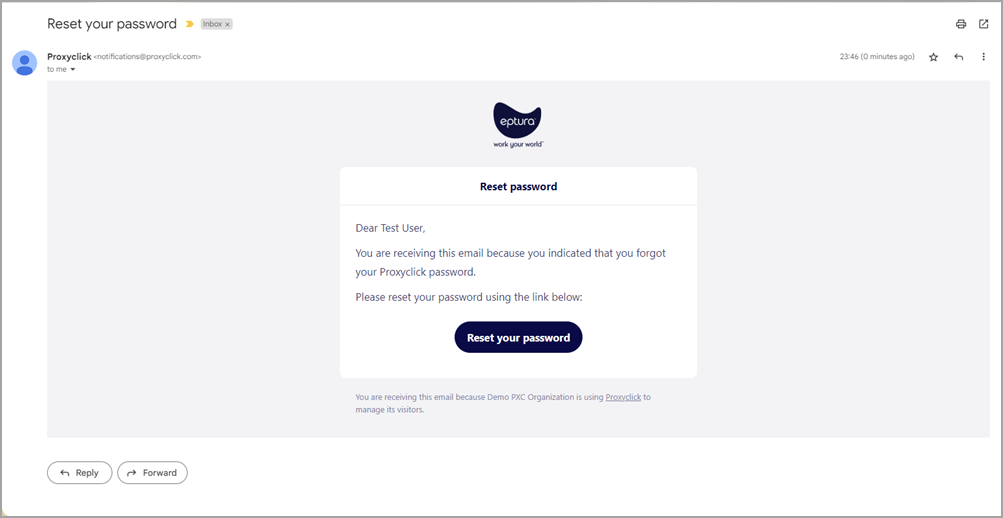
- Check your mailbox for an email from Proxyclick with the subject Reset your password.
- Open the email and click Reset your password.
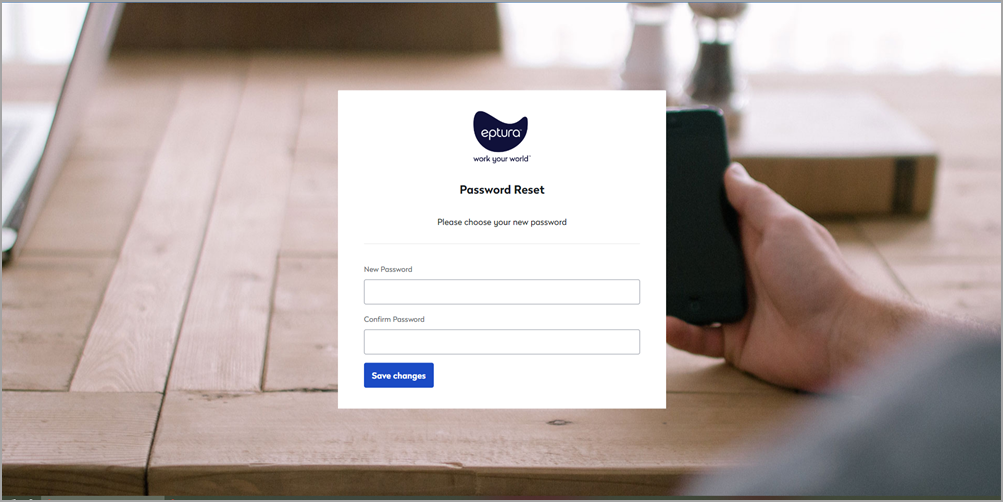
- Enter a new password and enter it again to confirm. Click Save Changes when done.