
Review of popular visitor badge printers
Eptura do not recommend any particular printer brand or model as customer requirements can differ considerably.
Eptura Visitor works with nearly all printers, making it easy to find one that suits your needs. The best choice depends on your specific requirements and priorities, and we’ve outlined the key considerations below to help guide your decision.
Back in 2018, we reviewed four of the most popular printers among our customers. You’ll find those reviews further down the page.
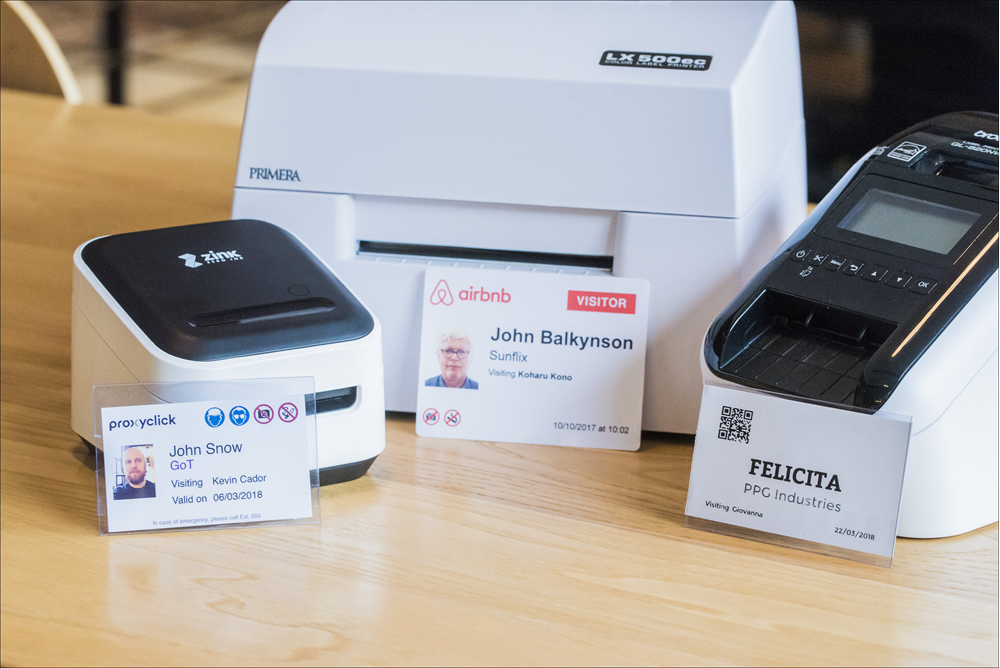
Considerations when choosing a printer
There's no such thing as a “best printer” to use with Eptura Visitor. There are multiple criteria to consider when assessing printers, so the best printer for you depends on the weight you give to the different criteria.
Criteria to consider include:
- Cost
- Ease of setup and maintenance
- Badges supported
- Print Quality
- Speed
Cost
Cost combines the printer itself and consumables (badge rolls + ink where relevant). Some would argue that maintenance costs must also be included in the Total Cost of Ownership (TCO). We capture this in the next criteria: ease of setup and maintenance (if it is low, you can expect more time from your IT installing and maintaining the printer connection).
Ease of setup and maintenance
Badges are primarily printed when visitors check in on the iPad (a small part of our users also print from the Dashboard). Therefore, making the iPad communicate easily with the printer is key. In our experience, the easiest way to have the iPad communicate with the printer is to use Apple’s AirPrint® technology. AirPrint printers communicate directly with the iPad, while non-AirPrint printers must communicate via an intermediary proxy (more complex network settings to install and maintain).
As you can expect, AirPrint-enabled printers will score higher on this dimension.
Type of badges supported
There are two main types of badges: paper and plastic. Paper badges can be adhesive, non-adhesive, and of different sizes. Plastic badges are always the same type (credit card format or CR80).
Print quality
We chose to break down print quality in two: quality of text (all printers score at least OK on this) and quality of images (stronger differences appear on this dimension).
Some printers only print in black and white, making it impossible to print variable items in color. (You can still have fixed items like logo in color by printing in black and white on a pre-printed badge that contains your logo in color).
You’ll find many pictures of printed badges at the end of this article to help you assess their relative quality.
Speed
Speed can be important in busy receptions (or with impatient visitors…). We also looked at that dimension.
Our reviews
In 2018, we reviewed four popular visitor badge printers that scored quite differently on the different criteria, and covered most scenarios.
- Brother QL820
- Zink (Sold as Zink hAppy in the US and as Brother VC-500W in Europe)
- Primera 500LX
- Evolis Primacy
Eptura do not recommend any particular printer make or model.
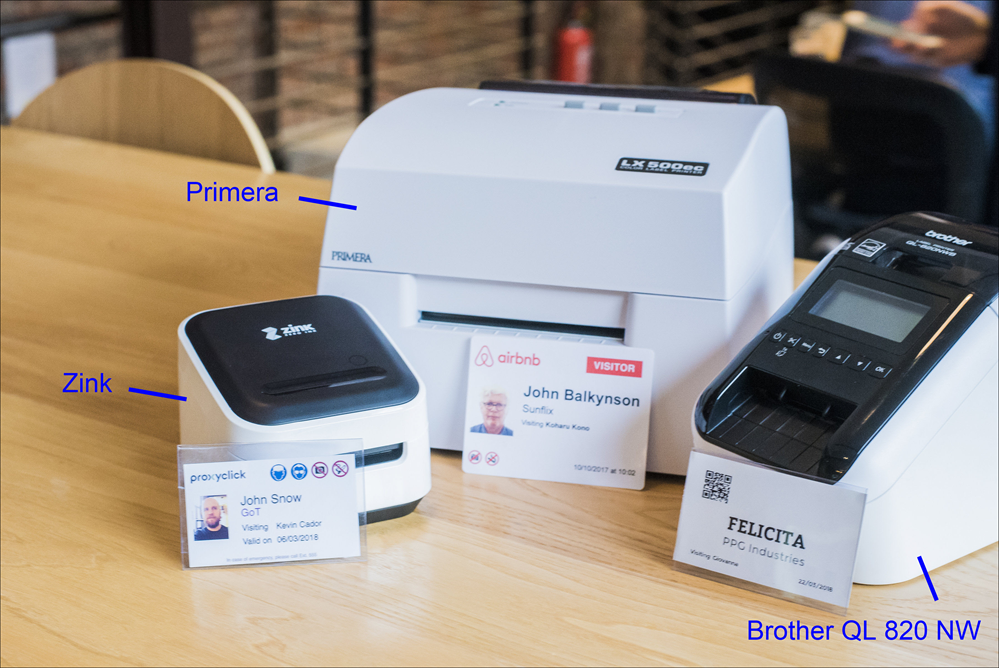
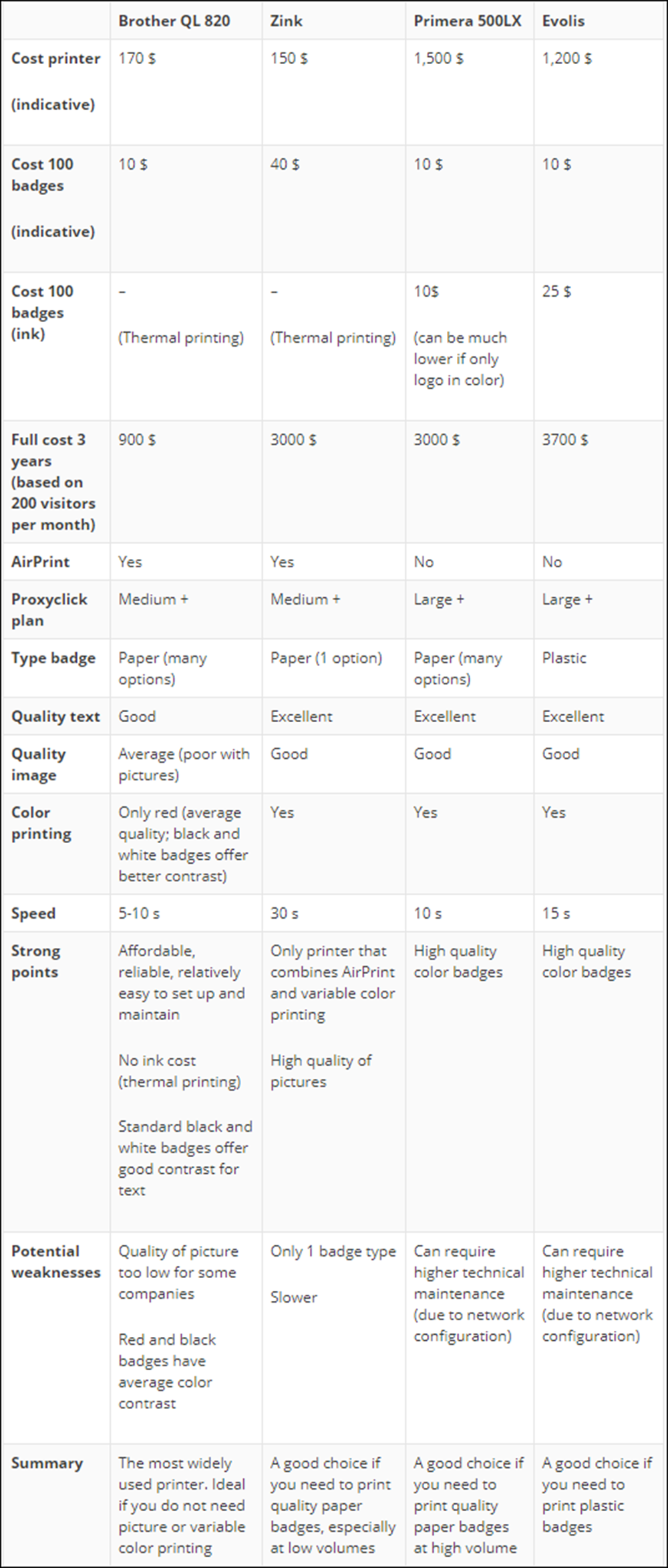
Printers compared:
The table reflects information that was accurate at the time of the printer reviews conducted in 2018.
As print quality is a subjective appreciation, we’ve provided some examples and pictures below for your reference.
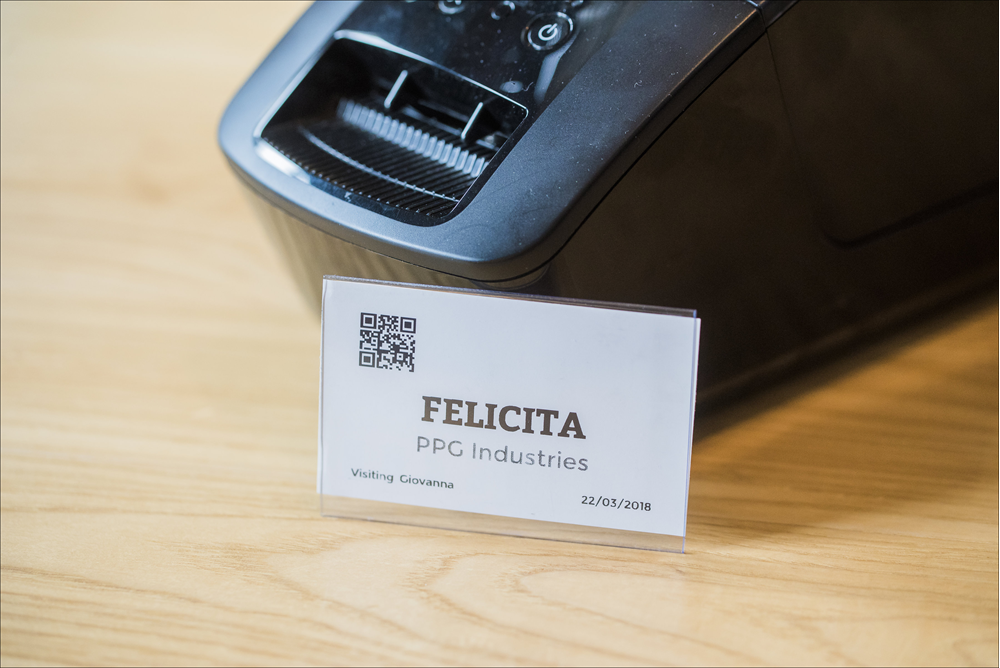
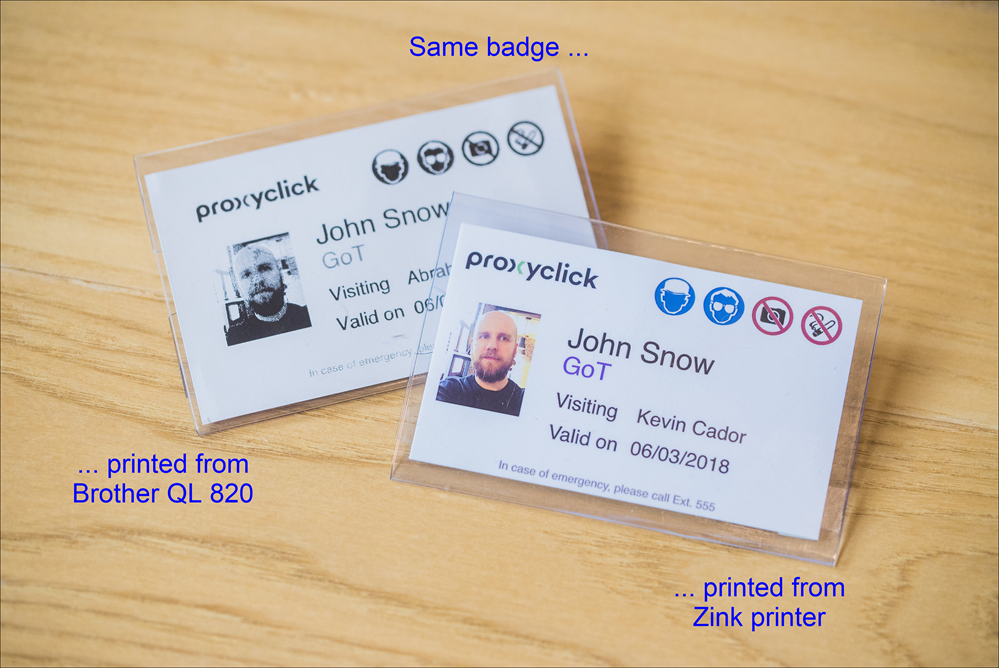
Quality of black-and-white badges printed from the Brother QL820 are of good quality as long as the design doesn't include pictures. As you can see below, text or QR codes print well with this printer.
However, if you add the picture of the visitor, strong differences appear. As you can see below, pictures printed from the Brother QL 820 are of lower quality (especially when printed over AirPrint).
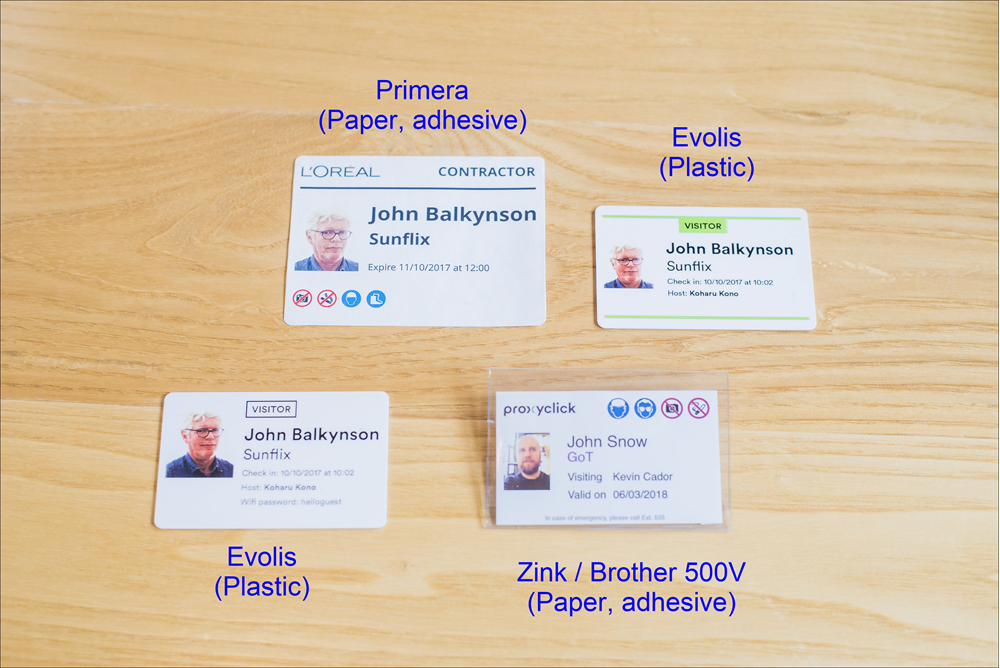
Below picture shows color badges printed from the Zink, Primera, and Evolis printers.
Summary
In 2018, the Brother QL820 NW was the most widely used printer among our customer base.
If you need a robust, affordable, and easy-to-use printer for black-and-white badges that do not require a face picture, this printer was the obvious pick at the time of review (whatever your volume), and it is compatible with SDK printing, allowing you to print reliably via Bluetooth.
If you need to print high-quality pictures on the badge, you’ll need to opt for a color printer. The Zink printer is a good choice as it is relatively easy to set up (thanks to AirPrint) and represents a small upfront cost.
If you need to manage high volumes of visitors (500 or more per iPad per month), the Zink may become too slow and too expensive (high variable cost). The Primera and Evolis printers are then good options.